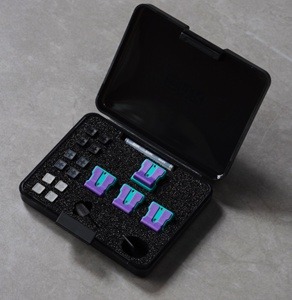
GMK TriggerKey Review
GMK is best known for double shot keycap sets in Cherry profile, where the legends are moulded in rather than printed, and for the group buys enthusiasts wait on. The GMK TriggerKey is nothing like those. It’s a small German engineered mechanism that replaces the keycap on a handful of switches and instead of pushing straight down you press a lever that hinges at the rear, much like the trigger on a game controller.
I expected a gimmick and in a sense that’s what it is. But it’s a gimmick built with real care and it deserves a better hearing than the usual forum pile on. It also isn’t something I’d tell most people to buy and the reasons come down to physics rather than execution.
In the box
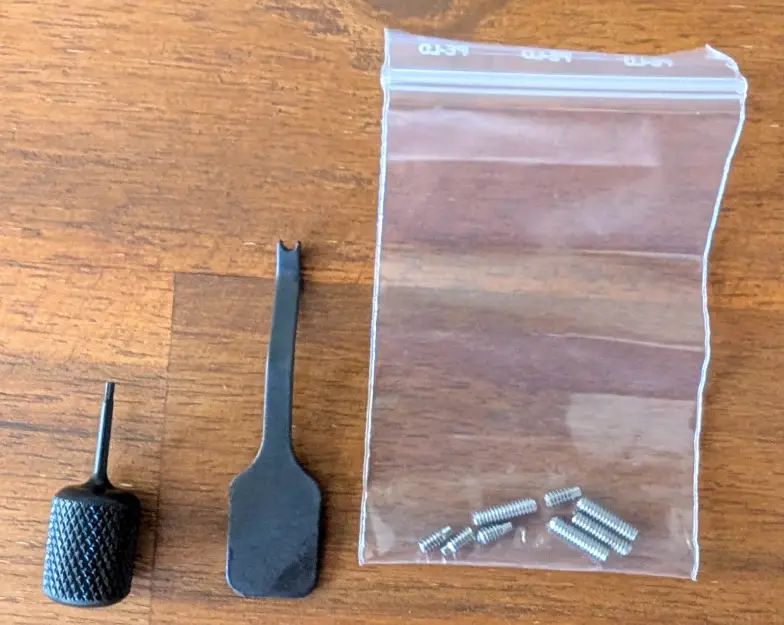
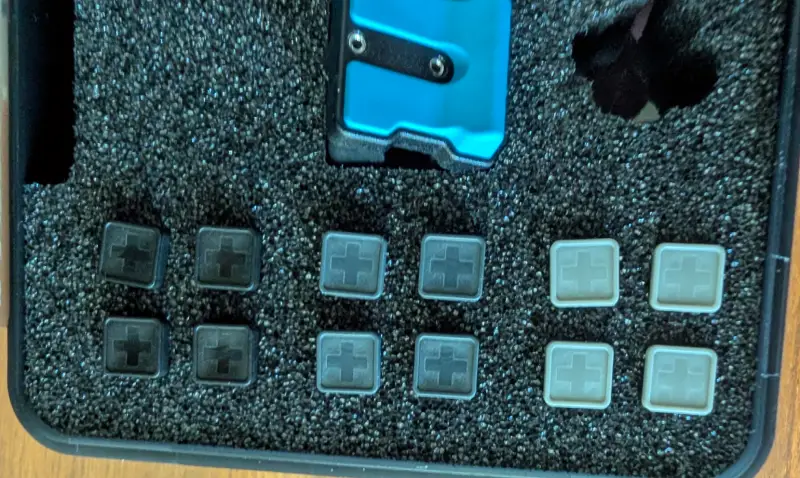
A retail pack gets you four TriggerKeys, twelve POM stem caps in three heights (0.7, 1.2 and 1.7 mm), a push tool, an adjustment tool with a knurled handle and an alignment mark and spare screws, all sitting in a foam cut hard clamshell.
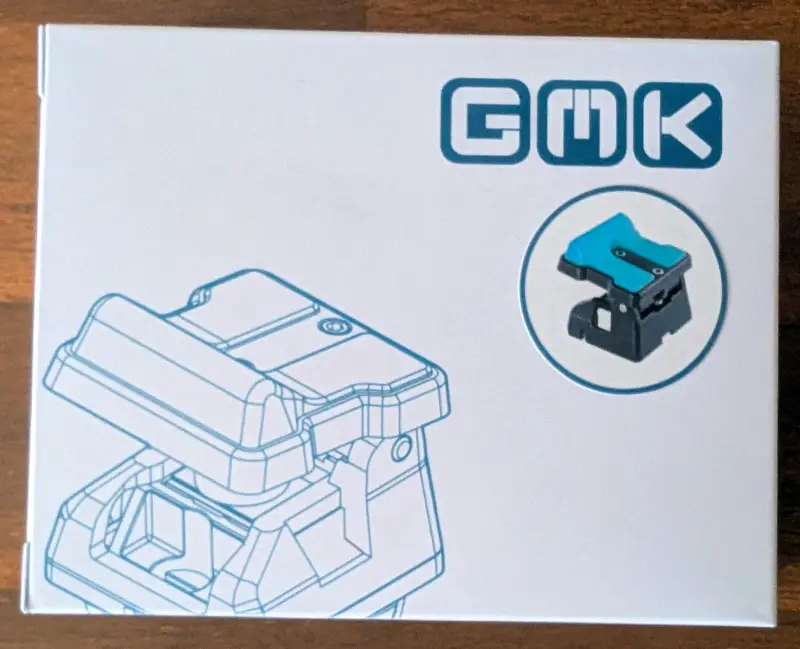
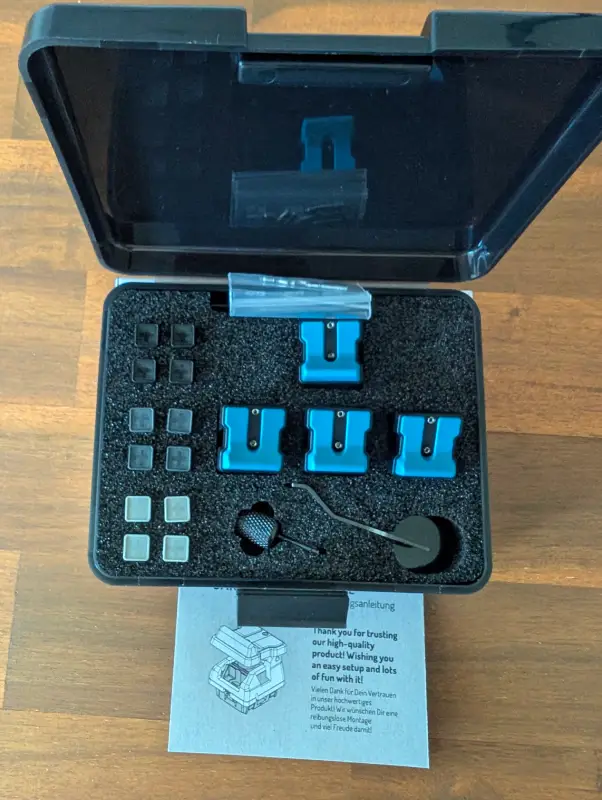
It launched on 6 October 2026 at US$49 / €49 and comes in at least 14 colours.
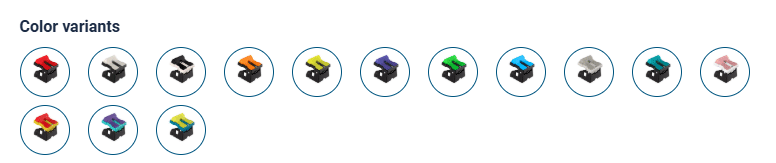
The packaging is nicer than a four key accessory has any right to be, and the ABS caps feel like proper GMK. My only complaint is that there’s no keycap puller in the box and you’ll want to pull the neighbouring keys anyway to get at things.
How it actually works
Each unit is a shell that sits over the switch and replaces the keycap. A stem cap goes onto the Cherry MX stem, the shell clips onto the switch body and hinges at the back and two screws do the tuning. The upper one sets the resting tilt, up to 34 degrees. The lower one sets how far the lever pre-presses the stem cap, up to 2 mm in total. One full turn of either screw is 0.4 mm.
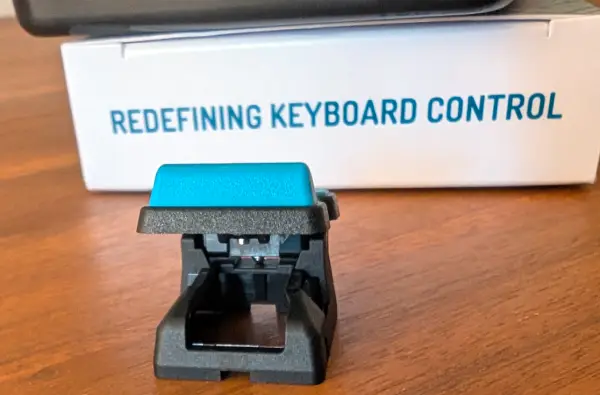
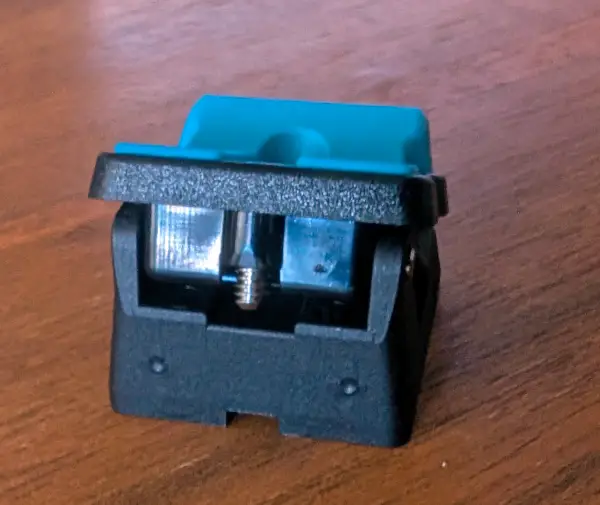
This is where the marketing needs translating. “Adjustable actuation” really means pre-loading. You can make the switch fire earlier by pressing the stem partway down before your finger arrives, but you can’t make it fire later than it already does and the switch underneath is still binary. There’s no rapid trigger, nothing analog and the spring weight is unchanged. The lever changes how you travel to the switch’s own actuation point, not where the switch decides. It works best on switches with a conventional 1.8 to 2 mm actuation point because that’s the distance you have to shave. If you already run 1.2 mm speed switches, there isn’t much left to take.
The promo video shows a racing game, which suggests you could feather a throttle. You can’t. It’s still on or off.
Setting it up
Installation looks fiddly even though it really isn’t. Push the stem cap onto the switch, set the TriggerKey over it and press until it clicks. On a south facing board I’d reach for the shorter stem caps so the shell doesn’t foul the PCB or plate. Then you tune.
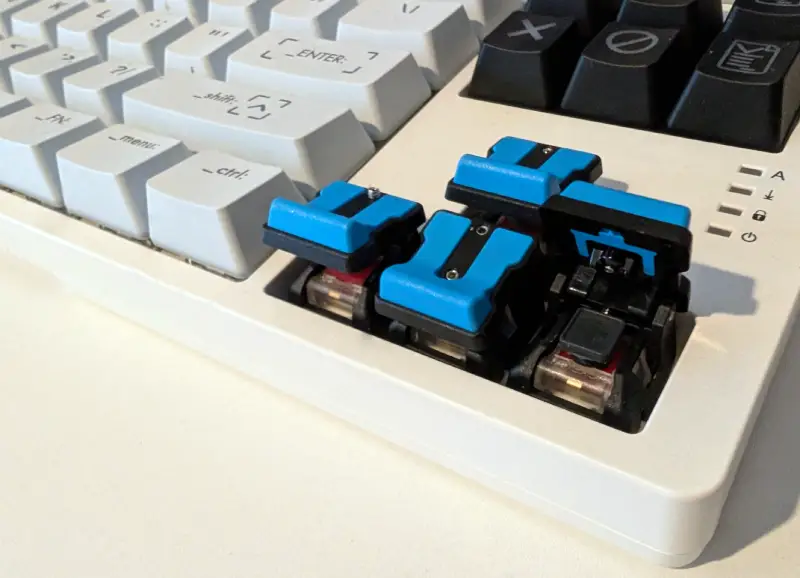
The tuning is the least polished part of the whole thing. There are no detents and no markers beyond the alignment line on the tool, so matching four keys is done by eye and feel and it’s harder than it sounds to get them truly identical. Set the actuation too close to the switch’s own point and you’ll get unwanted repeat inputs, so it needs a patient hand and a number of attempts to get right. You can lift the lid to swap stem caps with the key installed, but it’s awkward and I ended up pulling the whole assembly off each time I wanted to try another height.
Playing with it
Here’s the part I didn’t expect: I like the feel. The hinge is smooth, the raised ridge at the front stops your finger sliding off and resting on a bump instead of a flat cap makes WASD feel like four little triggers. The tilt is the feature I’d keep. Being able to angle the keys to suit your hand rather than your keyboard is a genuine ergonomic gain over long sessions and it helps for shortcuts and macros too. The shell also changes the sound, making it thockier with the higher pitches dulled.
What I can’t find is a competitive advantage. The extra lever travel before the switch fires is movement your finger makes and the game never sees. Setting it up as a hair trigger gets you close to what a speed switch already does and the feedback is less consistent than a normal keycap because it changes depending on where your finger lands. You need to press in the lower third to get a predictable action. Tilting the keys downward also worked better for me than upward, which is the opposite of how GMK photographs them.
Typing on it
This is the weak spot. You press a TriggerKey on the ridge, not anywhere on top and jumping between a ridge pressed key and its neighbour means two different finger motions in a row. You can type on them. It just feels as if WASD is broken and GMK itself doesn’t recommend long typing sessions. That rules them out on a keyboard you use for work. They belong on a dedicated gaming board, or on keys you don’t type with: arrows, a macro block, a sim rig, a button box. That last one is the use I find most appealing. The long, deliberate stroke gives a control panel feel that suits flight and racing setups far better than a first person shooter.
Compatibility
This is meant to be an upgrade for mechanical keyboards in general and it isn’t quite. It fits MX style housings including Cherry MX and most Gateron, but the bottom housing needs a pocket for the shell to grip. Kailh BOX switches don’t clip in properly and the shell pops out, which would be a dealbreaker in a game. Low profile switches are out and so are most Hall effect switches, including Gateron Jade and Wooting’s Lekker family. Cherry’s MK magnetic and NZXT’s magnetic switch do work. Custom housings on some boards simply won’t accept it, so read GMK’s compatibility list before buying.
Full compatibility list here:
That last point is the real shame. A long deliberate lever stroke is exactly what Hall effect boards lack. Tiny differences in actuation distance are hard to feel through a normal keycap and a lever would make them tangible. GMK has built the physical half of a very good idea and attached it to the half of the market that can’t use it.
Price and the alternatives
US$49 is fair for what you get and I mean the engineering and the packaging. The trouble is what else that money buys. A set of speed switches in the actuation point you want is cheaper and hot swap sockets have been standard above the budget tier for years, so swapping four switches is quicker than mounting and tuning four TriggerKeys. A basic Hall effect keyboard costs about the same and adjusts every key in software.
Where the TriggerKey makes sense is the person who loves their current board with its lubed switches and its sound and doesn’t want to give any of that up. For them it’s the only way to get an earlier actuation point and a different angle without touching the switches.
Who should buy it
Tinkerers with a spare gaming board on compatible switches. Sim and button box builders. Anyone who wants WASD angled to suit their hand. Not people hunting a competitive edge, anyone who types on the same board, or owners of Hall effect keyboards.
Verdict
The GMK TriggerKey is a lovely piece of engineering with a very narrow job. The lever feel and the tilt are the best parts, the actuation adjustment is smaller than the name suggests, typing on it is awkward and the compatibility list rules out the switches that would benefit most, however it’s a good first iteration by GMK.
Pros
- Convincing trigger like lever feel, smooth and well made
- Tilt up to 34 degrees is a real ergonomic gain
- Four keys, three stem cap heights, tools and spares in one case
- Keeps your existing switches, feel and sound
Cons
- Actuation can only be shortened and the switch underneath is still on/off
- Awkward for typing and changes muscle memory around WASD
- Doesn’t work with Kailh BOX, low profile or most Hall effect switches
- Tuning has no detents, so matching four keys takes patience
- No keycap puller included
| PERFORMANCE | |
| FEATURES | |
| VALUE | |
| BUILD QUALITY | |
|
Average
|
|
